If you're running a Shopify store and outsourcing your fulfilment, you've probably wondered what actually happens when a customer clicks "buy now." Where does that order go? How does the warehouse know what to pick? And how does your website magically update with the right stock numbers and tracking information?
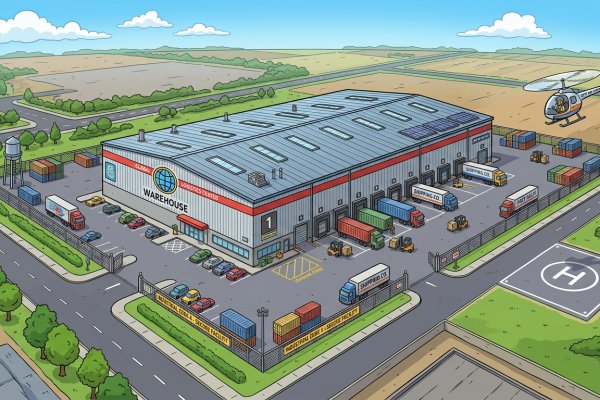
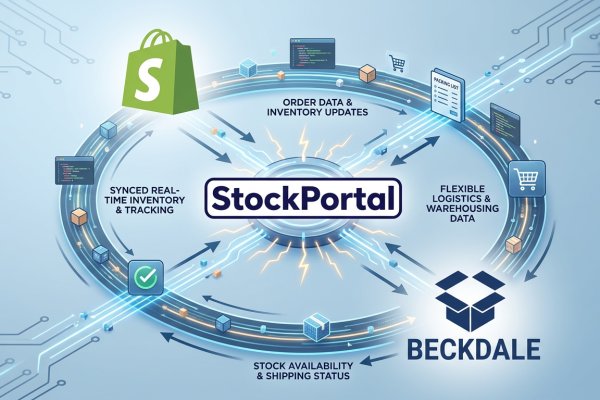
The answer lies in a sophisticated yet elegant two-way conversation between your Shopify store and our StockPortal platform. It's a continuous loop of information that keeps everything synchronized - from the moment an order is placed to the second a parcel leaves our UK fulfilment centre in Leicester.
The Foundation: Why SKU Is King
Before we dive into the data flow itself, it's crucial to understand the anchor point of the entire system: the SKU (Stock Keeping Unit). This unique product code is the universal language that both Shopify and StockPortal speak fluently.
Here's what makes this important: Shopify has its own internal ID numbers for products, variants, and orders. StockPortal has its own database structure. But neither system relies on the other's internal numbering. Instead, the whole conversation is anchored on your product's SKU - the unique code you assign to each item you sell.
Think of it like this: if Shopify and StockPortal were two people speaking different languages, the SKU would be their common tongue. When an order comes through for "TSHIRT-BLK-M," both systems know exactly which product that refers to, regardless of what internal ID number each platform has assigned to it.
This SKU-based matching is what makes the integration robust, reliable, and transferable. If you decide to migrate platforms or change systems, your SKUs remain constant - they're your product codes, not locked to any particular software.
The Inbound Journey: Orders Coming In
Let's walk through what happens when a customer in Manchester places an order on your Shopify store at 2pm on a Tuesday afternoon.
Step One: Customer Completes Checkout
The customer adds items to their cart, enters their delivery address, and completes payment. Shopify processes the transaction and creates an order record containing all the essential information:
- Customer name and delivery address
- Items purchased (identified by SKU)
- Quantities ordered
- Order number and timestamp
- Shipping method selected
Step Two: StockPortal Pulls The Order Data
Within moments, StockPortal actively pulls that order information down from Shopify through the API (Application Programming Interface) connection. This isn't a manual process, it happens automatically, typically within seconds or minutes depending on your integration settings.
The order arrives at StockPortal as a structured data packet, containing all the information our warehouse team needs to fulfill it. But here's where the SKU matching becomes critical.
Step Three: SKU Matching And Validation
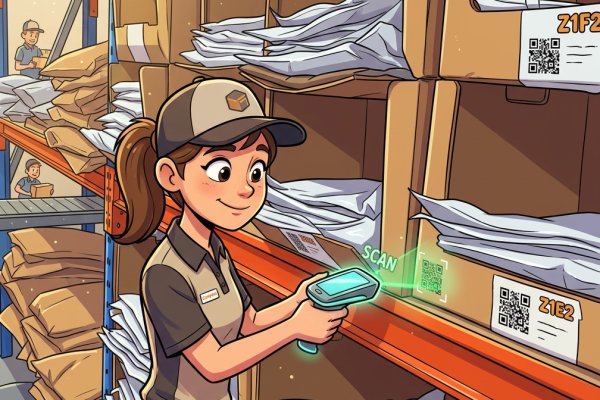
StockPortal immediately looks at each line item on the order and matches the SKU to the corresponding product in our warehouse management system. This process answers several important questions:
- Do we have this product in stock?
- Where is it located in the warehouse?
- Are there any special handling requirements?
- Which picking zone should this order be assigned to?
For businesses dealing with products that have expiry dates - whether beauty items, food products, or supplements - StockPortal also ensures that batch numbers and expiry dates are tracked throughout the process.
Step Four: Order Queuing
Once validated and matched, the order is queued up in our picking system. It joins the workflow alongside other orders, prioritized based on shipping method, order time, and any special requirements you've configured.
Your customer's order is now in the physical world - it's moved from digital data on a screen to a picking instruction for a warehouse operative in Leicester.
The Outbound Journey: Information Going Back
While your orders flow inward, there's an equally important stream of information flowing back from StockPortal to Shopify. This outbound data keeps your store synchronized with warehouse reality.
Stock Level Synchronization
Perhaps the most critical piece of information flowing back to Shopify is live stock levels. Every time inventory changes in the warehouse - whether through receiving new stock, dispatching orders, or adjustments for damaged goods - StockPortal pushes those updated quantities back to Shopify.
This synchronization prevents one of ecommerce's most damaging scenarios: overselling. Imagine if your Shopify store showed 50 units in stock, but you actually only had 5 in the warehouse. You'd be taking orders you couldn't fulfill, leading to disappointed customers, refunds, and damage to your brand reputation.
With real-time stock synchronization, what the customer sees online matches what's actually sitting on our shelves. When a business-to-consumer order depletes your last few units of a product, your Shopify store reflects that change almost immediately - whether your customers are in London, Birmingham, or Edinburgh.
Tracking Numbers And Dispatch Notifications
The second major piece of outbound data is tracking information. Here's how that works:
Once your order has been picked, packed, and handed to the carrier - whether that's through our courier services or other shipping options - StockPortal receives the tracking number from the carrier's system.
StockPortal then immediately pushes this tracking number back to Shopify, updating the order record. Shopify, in turn, triggers an automatic email to your customer with their tracking information. The customer receives a "your order has been dispatched" notification, complete with a clickable tracking link.
This entire chain happens automatically. No manual copying and pasting of tracking numbers. No customer service emails asking "where's my order?" The system handles it all seamlessly.
The Continuous Loop: Keeping Everything In Sync
What we've described isn't a one-time handshake between systems - it's a continuous conversation. Throughout each day, StockPortal and Shopify are in constant communication:
- Every few minutes, StockPortal checks for new orders
- As warehouse activities occur, stock levels are pushed back to Shopify
- As parcels are dispatched, tracking information flows upstream
- If orders are cancelled or modified, those changes sync in both directions
This continuous loop is what keeps what the customer sees online in perfect sync with what's actually happening in our UK warehouse facility.
Why This Matters For Your Business
Understanding this data flow isn't just technical knowledge - it has real business implications.
Accuracy And Customer Satisfaction
When your online store accurately reflects warehouse reality, you avoid the twin sins of ecommerce: overselling items you don't have, and showing products as out-of-stock when they're actually available. Both scenarios cost you money and customers.
Speed And Efficiency
Automated data flow means orders move from "placed" to "dispatched" faster. There's no manual intervention required, no daily email of orders, no spreadsheet uploads. From our Leicester facility, we can process and dispatch orders the same day they're placed, because the data integration happens in real-time.
Scalability
This automated system doesn't care if you're processing 10 orders per day or 10,000. The data flow works the same way. As your business grows - whether you're expanding from clothing fulfilment to B2B operations, or adding new sales channels like Fulfilled By Amazon - the fundamental architecture scales with you.
Visibility And Control
With proper stock traceability and data flow, you maintain visibility over your inventory and orders at all times. You can see what's in stock, what's been picked, what's been dispatched, and what's on its way to customers - all without making a single phone call or sending an email.
The Technical Foundation: APIs Done Right
Behind the scenes, this entire data exchange relies on robust API connections. APIs are the digital plumbing that allows different software systems to communicate securely and efficiently.
StockPortal maintains a well-documented, reliable connection to Shopify's API, handling authentication, data formatting, error handling, and rate limiting automatically. For you, the merchant, this technical complexity is invisible - it simply works.
Whether you're running a small startup in Bristol or an established brand with customers across the UK, this UK 3PL integration provides the infrastructure you need without requiring you to become a software developer.
Beyond Basic Integration
While we've focused on the core order and stock data flow, modern fulfilment partnerships can handle much more sophisticated requirements:
- Contract packing for special promotions or bundles
- Custom sendouts for marketing campaigns
- Multi-channel inventory management across Shopify, Amazon FBM, and other platforms
- Specialized handling for different product categories
Each of these advanced scenarios still relies on the same fundamental principle: SKU-based matching and two-way data synchronization.
The Human Element
For all this talk of APIs and data flows, it's worth remembering that behind every system are real people. Our warehouse team in Leicester uses the information StockPortal provides to physically pick, pack, and dispatch your products. The better the data quality, the more efficiently they can work.
This is why maintaining clean, consistent SKUs across your product catalog is so important. When your SKUs are logical and well-organized, the entire system - from digital order to physical package - operates smoothly.
Getting Started
If you're currently running a Shopify store and handling fulfilment yourself - or if you're considering switching from your current UK 3PL fulfilment provider - understanding this data flow helps you appreciate what's possible with modern warehouse integration.
The conversation between Shopify and StockPortal isn't magic - it's well-engineered software doing exactly what it should: keeping your online presence synchronized with physical reality, automatically and continuously.
Interested in learning more about how this would work for your specific business? Our pricing calculator and pricing examples can give you a clear picture of costs, while our team can walk you through the technical setup process.
In the end, successful ecommerce fulfilment comes down to this simple loop: Shopify sends StockPortal the orders, and StockPortal sends Shopify back the stock counts and tracking. Everything else - the customer satisfaction, the operational efficiency, the business growth - flows from getting that fundamental conversation right.